Thursday, April 3, 2008

Screencasting


I had actually done screencasting back closer to week 8. I couldn't, however, do any Screencast-O-Matics, as I don't have Java on my computer. So I posted Arrested Development instead, as Veronica was around to show me how to do that! But I guess that wasn't the assignment.

I can imagine many screencast opportunities: how to put a book on hold; how to search Ebsco; how to log into Telus, or make your own computer reservation. And many more. When talking with my colleagues about it, the only drawback we could come up with was that we'd need headphones at all our computer stations! Though now that I've watched the screencast that came with mapbuilder, I can see you wouldn't necessarily need headphones. I actually see this as one of the most applicable 2.0s yet.

Mashing


These Mash-ups are cool (though I haven't had a chance to look at them all). I haven't quite thought of an application yet, though the obvious would be the mapping of all the libraries in your system.

Is there a clearinghouse, rss feed, search engine for Mash-ups? Since so many are being made now, how does one find one? Would one pop up if I google census map and sex offenders in Madison? Or Thai restaurants and Chicago? Like the guy said in the YouTube: singles in my zip code? I have had a few reference questions where having a mash-up would be the answer to the question.

Oh, I tried to put my favorite Thai restaurant on our map, but I don't think I was successful. Once again, something that was probably easy for the youngsters in the group, was not in the least for me. I'll blame it on either map builder or my computer...map builder had no real instructions and though I did watch the screencast, but my screen looked a little different. I'll check tomorrow though. Maybe it will be there!

Wednesday, April 2, 2008

Curiosity Killed the Cat?


My cat didn't get killed by her curiosity, but she sure got messed up! Somehow she fell into a vat of old motor oil and in trying to escape, got one of her front paws stuck under her collar. When she came in the cat door, I thought she was half dead. On closer inspection, she was just a greasy, nasty mess. Many baths with dish detergent and bowls of milk later (to line her stomach) she was good as new.

I don't know what the moral of that story was, but maybe just be prepared for some surprises on Curiosity Road!

I always thought I was a curious person, but there's something about the enormous amount of choice and complexity, as well as the shortage of time, that act as obstacles to really feeling comfortable with Web 2.0. My forays into Netvibes, Widgetbox and Clippl today left me, after watching a video on the Humboldt Squid (?) [see what I mean about time?], as usual, still wondering what I would even DO with all those things. Especially in the library world. Not that I don't have fun exploring. But it's that sort of never-ending, time-consuming, really fun, but not really getting anywhere pertinent activity that prevents me from spending work time looking at ways to update my skills.

Want to write more, but I need to leave this computer.....

Tuesday, March 18, 2008

"Funny Animal Antics"


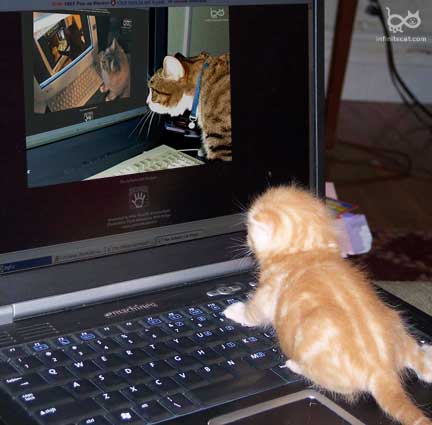
After reading Pinky's blog on the YouTubes, I couldn't help myself. I originally found this on Cute Overload (thanks Project Play for showing that to me....I have lost hours of my life to that)

I loved all the library YouTube examples for this week's lesson. How creative some places can be. I can't help but think, for right now at least, that using YouTube to get young adults and younger involved in the library would be the best use for it. It seemed they were the ones who participated in the library contests featured today. I love the idea of letting them loose to promote a YS program, or just promote the library services to their peers.

And then embedding clips of, or entire, programs, for those who missed them. Fundraising campaign messages. Program promotions. Library opening celebrations. Just plain old self promotion. As libraries get good at promoting themselves with this technology, would local media catch on and use the YouTube clips on their special interest shows? You do see a lot of these "amateur" videos on television these days....

Monday, March 17, 2008

Veronica showed me how to do it


So here it is. Now when I do the YouTubes, I'll know how to do that too.

Friday, March 14, 2008

Podcasting


I'm cheating this week and not doing very much since I'm WAY behind in Project Play. I already knew a little bit about podcasts, as one of the things that gets me through the week is my Stephanie Miller podcast subscription (though she's on vacation this week, which is seriously effecting my mood.....) I did listen to all y'all's gabcasts. Nice work!
As for what you might use podcasts for in the library world: I like the idea of a book talk podcast - mini book reviews on a regular basis - a la abécédaire's gabcast. Or instead of subscribing to the enewsletter, getting a 2 minute update on library happenings via podcast. Or, as some have suggested, tutorials to guide people step by step through processes they need to learn like setting up email accounts. (would a youtube be better for this? just listening to something may not be as conducive to the learning process as listening and seeing.) Recordings of a library program that folks missed but may want to listen to?
Trying to learn, play and fear less.

Thursday, February 14, 2008

MyConfusion


I'm not really confused about MySpace or FaceBook. I've had some collateral experience with it, if only through anecdotes and occasional sightings of my daughter's FB account. (She'll talk about it but won't really let me look at it.) I understand how they are used, and how compelling (and addicting) they would be.
What I'm confused about it why anyone would use this in the library world. The one's that we looked at for examples were boring and outdated. They did not seem useful. If a teen or young adult went to any of them, they would never return. They look like I would look if I tried to talk in teen- or black-speak. Really stupid. I cannot imagine a teen or young adult paying any attention to a library blog whilst they are doing what they are doing on FB or MS.
Having said that, I can see a group of librarians with the same interests sharing articles, and discussions about articles and networking with each other on these things.
Did I just miss the good ones? How does everyone else feel about them?

Friday, February 1, 2008

Milking

While I can see the efficacy of having a task manager online, Remember the Milk isn't doing it for me. It doesn't seem to be a very intuitive, well organized web site. Or is it just me? I rate a web site as useful and excellent if I can get it to work. Not an easy 'award' to give to a web site, since I can be thick when it comes to learning web 2.0, but there are things out there (blogspot for one) that I can figure out.

My complaints:
  • it seems like each time I go into it, it looks different...if I login, it has one list, if I don't there's another.
  • it includes the signature from your email as part of the message (many of us had this happen with our list additions)
  • when I tried to delete my signature, I couldn't figure it out (though a colleague helped me and I cleaned up my and other's mistakes.)
  • I can't figure out how to organize it - some listings have dates on them, some don't.
  • Too big of a learning curve on this one.
I'd like to try Jott, but my cell phone doesn't work at my desk. Makes me wonder what kind of electronic field I'm sitting in every day...?

Any other task managers out there that are easier to learn and more intuitive than Milk?

Milking


While I can see the efficacy of having a task manager online, Remember the Milk isn't doing it for me. It doesn't seem to be a very intuitive, well organized web site. Or is it just me? I rate a web site as useful and excellent if I can get it to work. Not an easy 'award' to give to a web site, since I can be thick when it comes to learning web 2.0, but there are things out there (blogspot for one) that I can figure out.

My complaints:
  • it seems like each time I go into it, it looks different...if I login, it has one list, if I don't there's another.
  • it includes the signature from your email as part of the message (many of us had this happen with our list additions)
  • when I tried to delete my signature, I couldn't figure it out (though a colleague helped me and I cleaned up my and other's mistakes.)
  • I can't figure out how to organize it - some listings have dates on them, some don't.
  • Too big of a learning curve on this one.
I'd like to try Jott, but my cell phone doesn't work at my desk. Makes me wonder what kind of electronic field I'm sitting in every day...?

Any other task managers out there that are easier to learn and more intuitive than Milk?

Saturday, January 26, 2008

Google Doc'ing


I like the idea of using Google docs. I've used similar document share-things before and they are very handy when a group is working on one large project. But I have yet to use it for all the documents I have on my flash drive. Something about having my drive as one place for all my things. Logic tells me that Google docs would be much more convenient, but emotionally, I want to have things on a drive. Why is that? Is it because I'm afraid of the possibility of things getting lost on the Internet? (I'm one that doesn't worry too much about hackers.) Things I used to depend on being there on the Internet seem to disappear with regularity, though that seems more about people redesigning their web pages than the thing actually disappearing. I'll try to get the courage to take that emotional step to start my next project on Google docs. Help me!

IM'ing


It's great to be back with Project Play, though as usual, I'm at least a week behind. I did manage to get myself a meebo account and get the widget on my blog as the rest of the office here did it, but I never finished the assignment. So, here I am.

Being the unimaginative worker bee that I am, I have no idea how this could be used in a library setting, though David Lee King's idea of embedding it in the failed search page of a catalog is quite smart. That could be extrapolated to include failed database searches, and ask ref pages as well.

Now off to see if I can get Week 2 done!

Saturday, December 8, 2007

Finale


Thank heavens for Project Play! Learning some of the tools now available like blogging and LibraryThing has helped me feel prepared for what's coming next. (Isn't there always something else right around the corner, just when you feel caught up?)
We are already using some of these tools at MPL. Our MadReads book review blog is a great addition to our web site, and it's fun to track how many holds are placed on books we've reviewed. I would love to see us add tags to our catalog as a way to improve access to it for our patrons. I haven't begun to use any of these in my personal life, but may try del.icio.us for those pesky online recipes. I would love to have a family blog - especially with family photos, but I'm sure 90% of my technotard (I'm one of them!) family would read it and not add to it.
Looking forward to Semester 2. Happy Holidays!

Thursday, December 6, 2007

Wiki Week


I finally made it to Week 9, one day before we're supposed to be done. Wiki's seem somewhat useful for me, in the same way those word processing/sharing sites work when more than one person are working on a written document.
I found the examples given of libraries that are using wikis a little confusing....I couldn't quite figure out what aspect of each page was the wiki, and how it was being used. (Could be that if I had more time to look at them, I could figure it out....I'm a bit rushed today.) I know we here at MPL are thinking of using it for circulation policies, problems and updates. I'm not quite sure how the Reference department could use it. But I'll keep thinking.

Friday, November 30, 2007

d.e.l.i.c.i.o.u.s


Okay, as much as I can appreciate all these fab Web 2.0 things, how can one person, library even, use all these? It's difficult enough keeping up with email.
Can one of you young librarians answer the oldster's age-old question: How do you find the time for all this? Since Project Play, I now have a blog, rss feeds, my own Library Thing, and a del.icio.us account. When I'm not doing PP, I only occasionally find time to check my rss feeds - only because I'm curious about my colleagues progress with PP. What do some of you youngsters do with all this? How many hours of the day are you spending on the web? (I mean personally, not for work.) Really, how do you envision our patrons using all this? Would del.icio.us substitute as the library's web page or reference page? Would rss feeds substitute for email updates? How would we use Library Thing? As our catalog? I'm not being critical here. I'm just trying to see how this all can be merged into the current library world. And substitute for something, instead of just adding another layer of things to manage.
Having said all that, I love tags! I think they, by using normal language vs. subject headings, provide better, or at least another, access to what's available in the catalog. (Sorry catalogers.) I find natural language so much more accessible.....at work I find myself using 'key word in title' much more than I use subject headings...just because it seems to find things using a more natural vocabulary. As far as I'm concerned, providing easier access to our offerings makes our job easier and makes patrons more independent and happy.

Tagging


Do you like how my photos have nothing to do with my entries?
For the longest time I've heard and wondered about d.e.l.i.c.i.o.u.s, and now I think I sort of have an idea. One suggestion I think I may use in my personal life is the recipe one.....keeping track of the overload of printout recipes has been daunting (and messy). I can now get rid of that ugly black binder shelved with my cookbooks!


Work-wise, I like the idea of using this for reader's advisory and book groups. Looking at some of the sights that Seminole County Library tagged gives some good examples. And I can see it as a great way to organize web sites like Menasha did. One comment, though. It seems like the list of tagged topics can get just as unwieldy as any old web page or list of favorites can. Is there no way to organize all the info out there that isn't unwieldy?

Thursday, November 1, 2007

LibraryThang


I created my LibraryThing account and added my five books (books I owned, most signed by the author!! - well, sure, I used the tags wrong, but it's MY library.) We'll see if this is how you link to it! http://www.librarything.com/catalog/leereer I'm not sure how MPL could use this, but I know how I'm going to: any time I get a reader's advisor question, I'm logging onto Danbury Public Library and using those cloud links. I've been mostly disappointed in the results I get from Novelist and What to Read Next. The clouds are FABulous. When I looked for the tags for the book I am reading right now (Ten Days in the Hills), the suggestions were just perfect....books I've already read, or want to read and seem to related in many ways to the novel. Has that worked for anyone else?
Now I have a new, unrelated question: How do you get rid of a photo you've pasted into your blog that you don't want? I suppose if this is difficult, it means I'm learning something. Peace.

More on Flickr

From the prospective of someone who is somewhat of a technophobe, the entire Flickr process seems to be the biggest obstacle in itself for using this in my library work. For Projectplay, I've already had to make 2 (3?) different accounts with passwords. That right there is a problem. (I can't even remember if they are all google or yahoo accounts) I understand that for the younger generation, this is like changing the channel on the television, basically the easiest thing there is. And with time and practice, I could see this entire process becoming easier. But for someone who doesn't use blogging or photo managing online in my out-of-work life, this isn't going to be something that will become second nature for me. So the problem is, do I fool around at work to learn this, or do I just not do it? (I can't imagine finding the time at home either.) Who knows, maybe if I ever get a grandkid (dog?), I'll want to blog and flickr all the time!

Flickr fun

Red-breasted nuthatch
Red-breasted nuthatch,
originally uploaded by Jim Scarff.
Brother is that a lie. Can this be more difficult for a flickr novice, a technotard, a photophob to learn??? If this birdie shows up on my blog, I will be amazed. But here's to the older generation learning new tricks, even though it took 10 times longer than it should have!

Thursday, October 18, 2007

Will somebody please write to me?


Maybe begging and being just plain pathetic would evoke sympathy from other bloggers and get them to comment. Since I'm just a novice blogger, I have no idea what it would take to get an audience, especially one that responds. Unless you attract a unique niche of people with the same interests, or appeal to the baser aspects of life (Britney gossip included), I would think it would be supremely difficult to overcome reader inertia and comment.

Thursday, October 4, 2007

I'm just learning SO much

I added my profile to my blog today. Now if I can only learn how to get my RSS feeds onto it, and create an avatar, then I'd really be FABulous. Maybe my next ProjectPlay will learn me it.